Amazon Rufus in your own shop? Here's how to bring AI consulting directly to your product detail pages.
2 April 2026

Last year, Amazon generated an additional $10 billion in revenue with a single AI feature. The name: Rufus. The principle: AI-powered questions directly on the product page – just when the customer is about to make a purchase decision. What was previously exclusive to Amazon is now available for every online shop. With homie AI. Without a single line of code.
Why product detail pages are the crucial point in the purchasing process
Those who know data from real shops understand: Most questions arise not while browsing – but precisely when a customer is looking closely at a product and is just about to click "Add to Basket".
Questions such as:
“Is this compatible with my device?"
“Will it fit in my home?"
“Does it meet all the technical requirements I need?"
It is at this moment that the decision is made whether the purchase will take place – or whether the visitor closes the tab and buys from the competition. Amazon recognised this and built Rufus. homie AI now brings this feeling to every shop.
AI product questions with homie AI – here's how it works
Step 1 – Upload product page URLs & generate questions
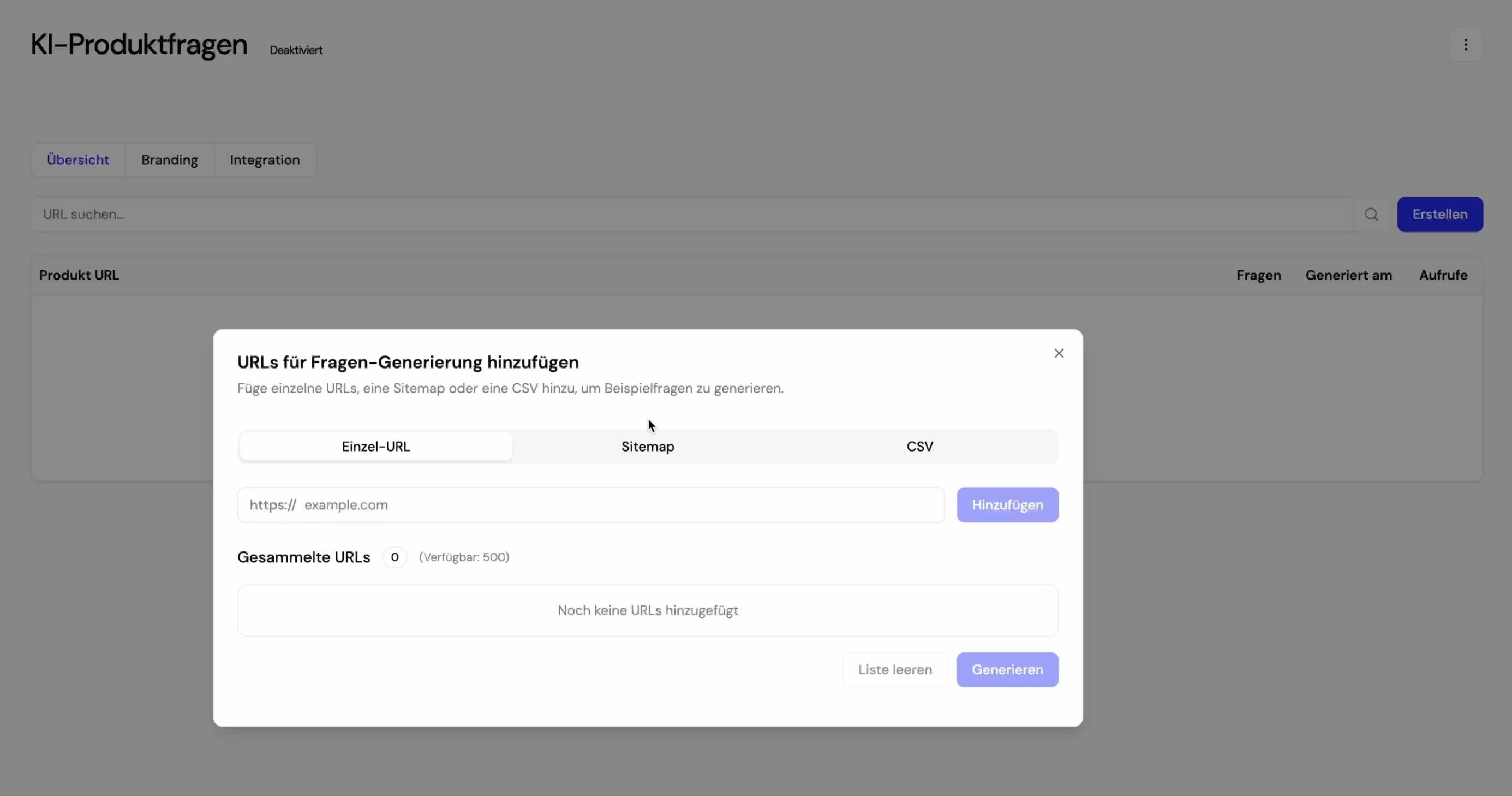
In the homie AI dashboard, there is a new section under the assistant: “AI Product Questions." Here, individual product URLs or entire lists can be uploaded via CSV – even hundreds or thousands at once.
homie AI then automatically analyses each product detail page and generates the questions that customers would actually ask on that page. Individually per product. Fully AI-generated.
Through the settings, you can precisely control how many questions are displayed per product page – and with additional prompt instructions, you can further sharpen the focus: prioritising specific use cases, avoiding certain terms, adjusting the tone. This way, the generated questions become not only relevant but really spot on.
Individual questions can also be manually added at any time – if there is something particularly important for a product that must be addressed.
Step 2 – Customise branding & match it to the shop
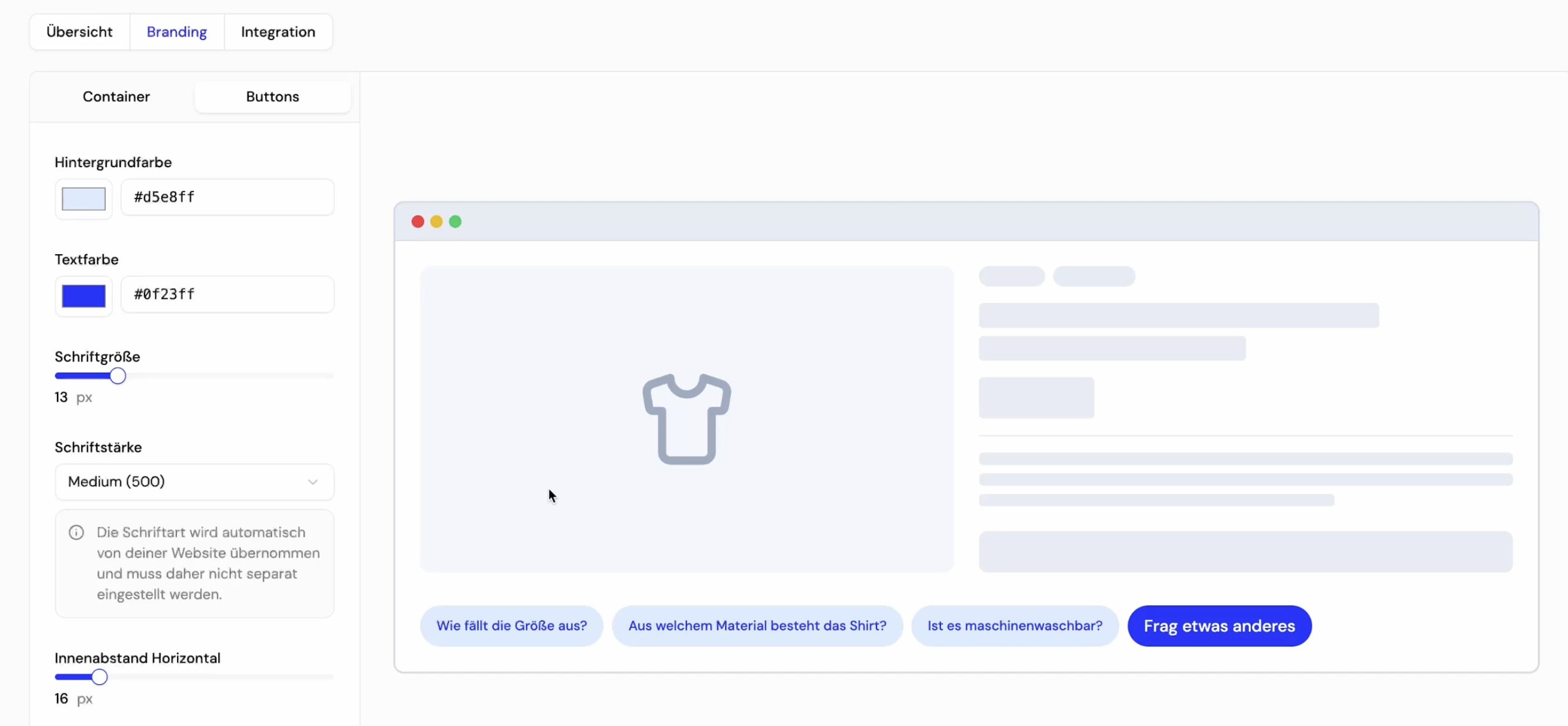
Before the widget goes live, it can be fully customised in the Branding section to match your shop design: background colour, spacing, corner rounding, borders, button shape, font size – everything configurable. The font of the webshop is automatically adopted once the widget is integrated.
Step 3 – Integrate widget into the product detail page
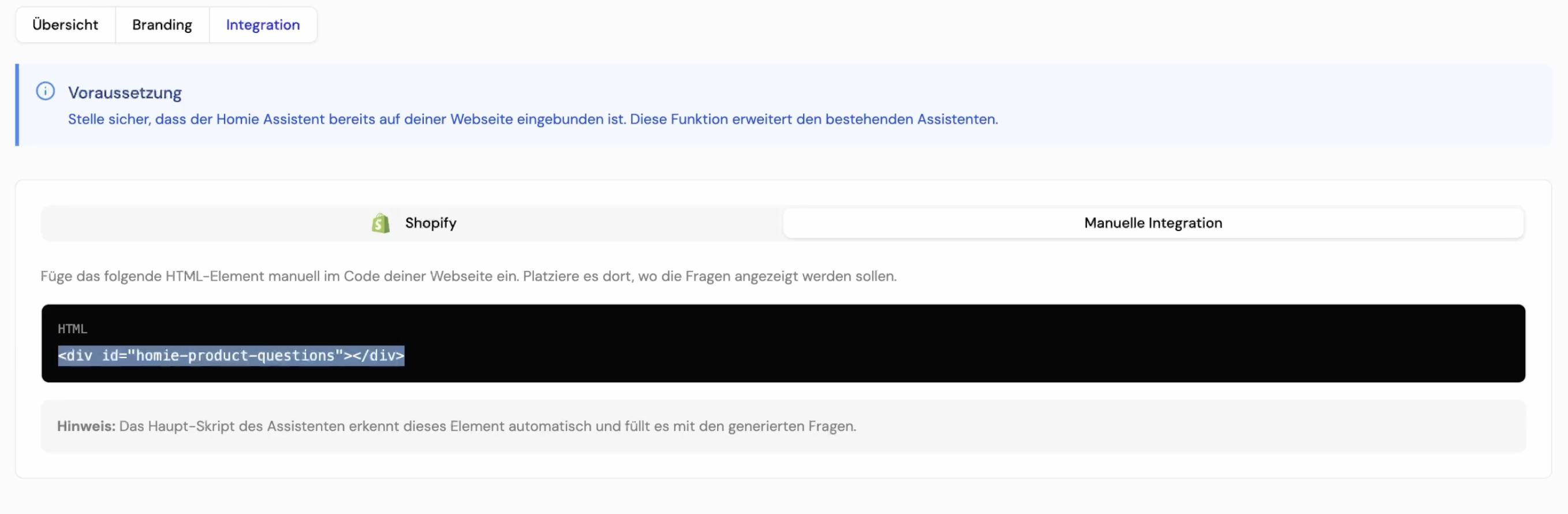
The integration is very simple. For Shopify stores, it’s done through the theme editor – a short step-by-step guide walks you through the process. For all other shop systems, all you need to do is copy the provided code snippet and paste it at the desired location on the product detail page – exactly where the questions are to appear.
Done. The advice on your product pages is live.
Just one more step
Click on the link in the email we just sent you.
This is what it looks like in practice
A good example is Wollen Berlin, an online shop for wool yarn and wool products, which has integrated the homie product question widget directly below the product images.
Customers can see at a glance the most important AI-generated questions about the exact product they are currently viewing – and can select one with a click. The answer appears immediately, without anything needing to be typed. If a question prompts the customer to ask a follow-up question, the complete homie assistant opens seamlessly.
Maximum convenience for the customer. Maximum effectiveness for the shop.
The underrated bonus: Evaluation at product level
What many initially overlook is one of the most valuable features: the detailed evaluation per product detail page.
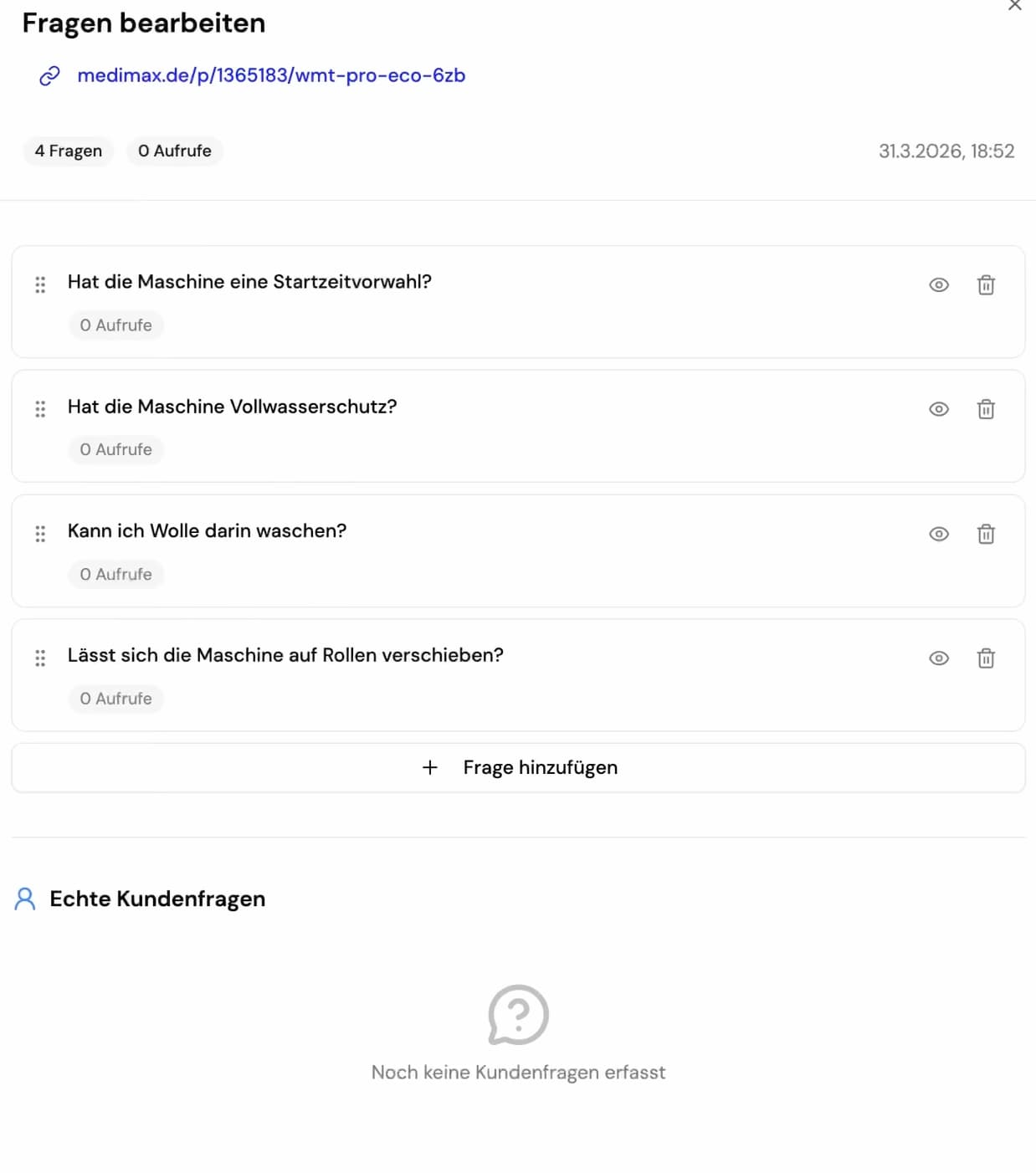
In the dashboard, you can see for each individual URL which questions were clicked on how often – and which questions customers have additionally asked themselves. This provides real insights into what is truly concerning and inhibiting customers on that page. No more guessing when it comes to product optimisation.
The most important points at a glance
✅ AI automatically generates relevant questions per product page
✅ Hundreds of URLs can be processed at once – even via CSV
✅ Fully customisable to your own shop branding
✅ Integration via Shopify Theme Editor or simple DIV code
✅ Detailed evaluation per product page included
Learn more about homie AI or start your free trial today!
📺 The feature explained in the video: Amazon Rufus in your shop – homie Academy on YouTube