Retour au blog
Insights

Shopware, Magento, JTL and Co. – how to install homie AI in 5 minutes

9 mars 2026
Shopware, Magento, JTL and Co. – how to install homie AI in 5 minutes

Integration in Minutes

New tools often mean: hiring developers, aligning timelines, planning deployments, fixing bugs. What should actually take an hour turns into a two-week construction site. That costs time. That costs money. And during this time, your shop continues to sell without the assistant that should have been working for you ages ago.

At homie AI, we thought differently from the start. Two paths. One result: homie AI is live.

🎉

Encore une étape

Cliquez sur le lien contenu dans l'e-mail que nous venons de vous envoyer.

Paper plane

Ne manquez aucune actualité

Laissez-nous votre adresse e-mail et recevez actualités et conseils directement dans votre boîte mail.

Path 1 – The Code Snippet

Directly into the shop system, ready in 3 steps. This path works with any shop system that gives you access to the theme code – WooCommerce, Shopware, Magento, JTL, and many more.

Step 1 – Get your personal script. Click on "Copy Script" under Connect in the homie AI dashboard. That's it on our end – the script already contains your individual chatbot ID and is ready to go.
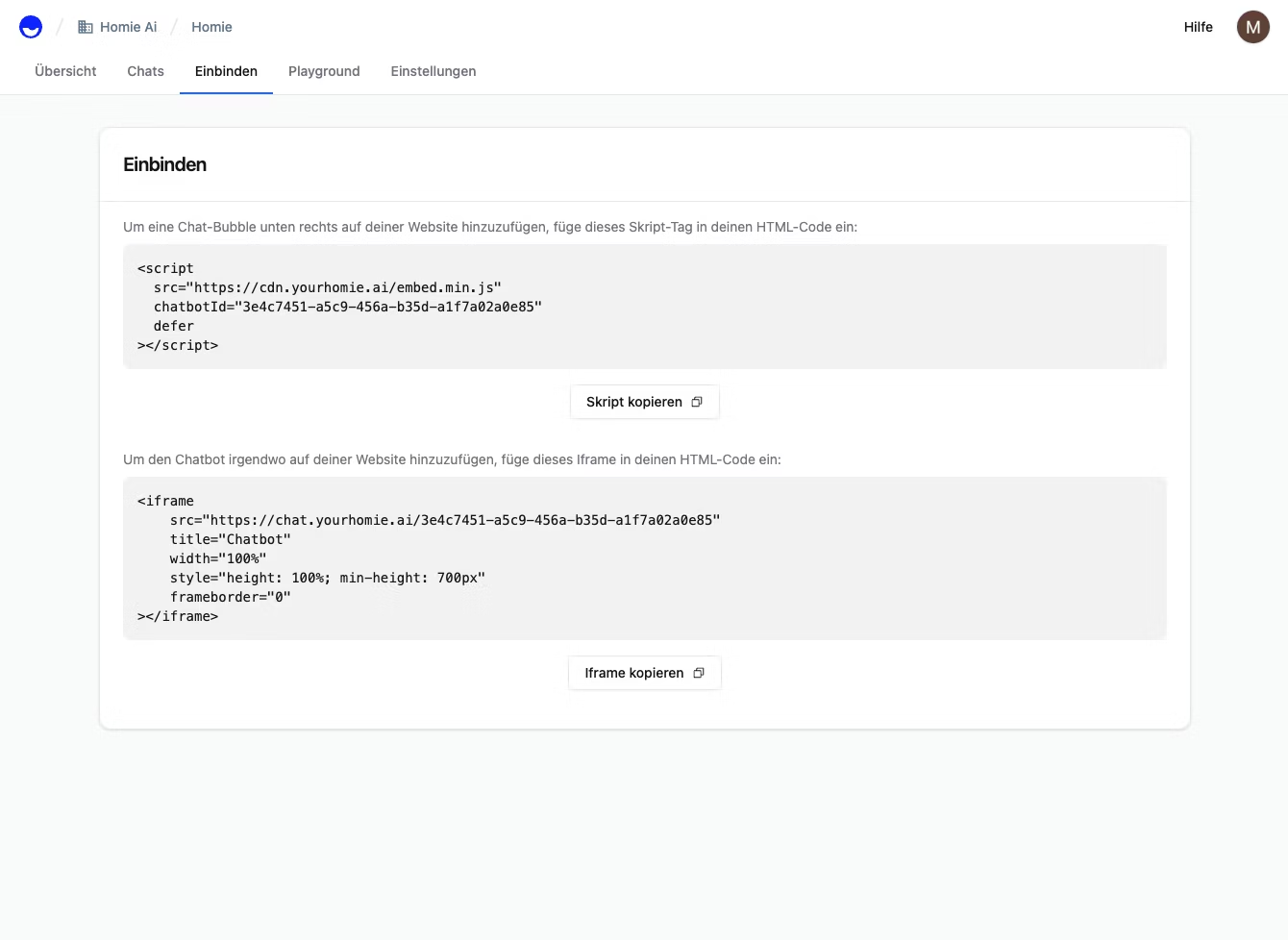
Two input fields in a web interface
The code snippet is easily copied from the homie AI interface

Step 2 – Navigate to the theme code in the shop system. Open the code editor of your active theme. Depending on the system, this might be called "Edit Theme", "Code Editor", or "Template Manager" – you are looking for the central layout file that is loaded on every page. Typically, this is a file like theme.liquid, base.html, or layout.tpl.

Step 3 – Insert script & save. Scroll down to the bottom of this file – just before the closing tag. Insert the script. Save. Refresh the shop. The homie chat bubble appears in the bottom right corner. From now on, homie AI is selling for you. Program code in a window. The snippet is placed directly above the in your theme. The script is under 5 KB, loads entirely asynchronously, and has no impact on your loading time or PageSpeed scores.
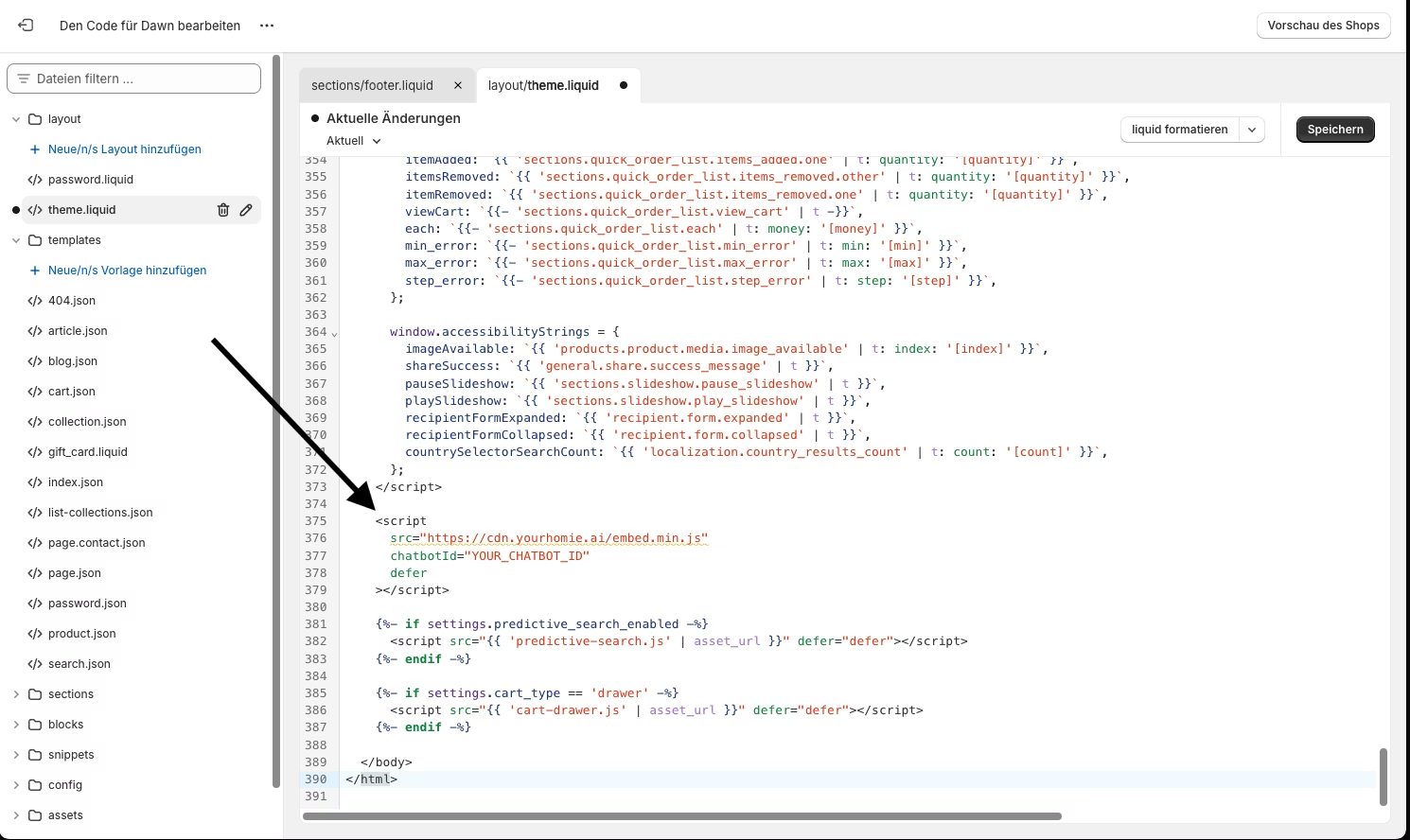
A window with program code
The code snippet is inserted into the theme

Path 2 – Google Tag Manager

No code, no theme access needed. Are you already using Google Tag Manager – or do you not want to delve into the theme code at all? Then this path is even more convenient. Particularly useful if you want to roll out homie AI on multiple domains or properties simultaneously.

Step 1 – Copy the script from the homie dashboard. Identical to above: Dashboard → Connect → "Copy Script".

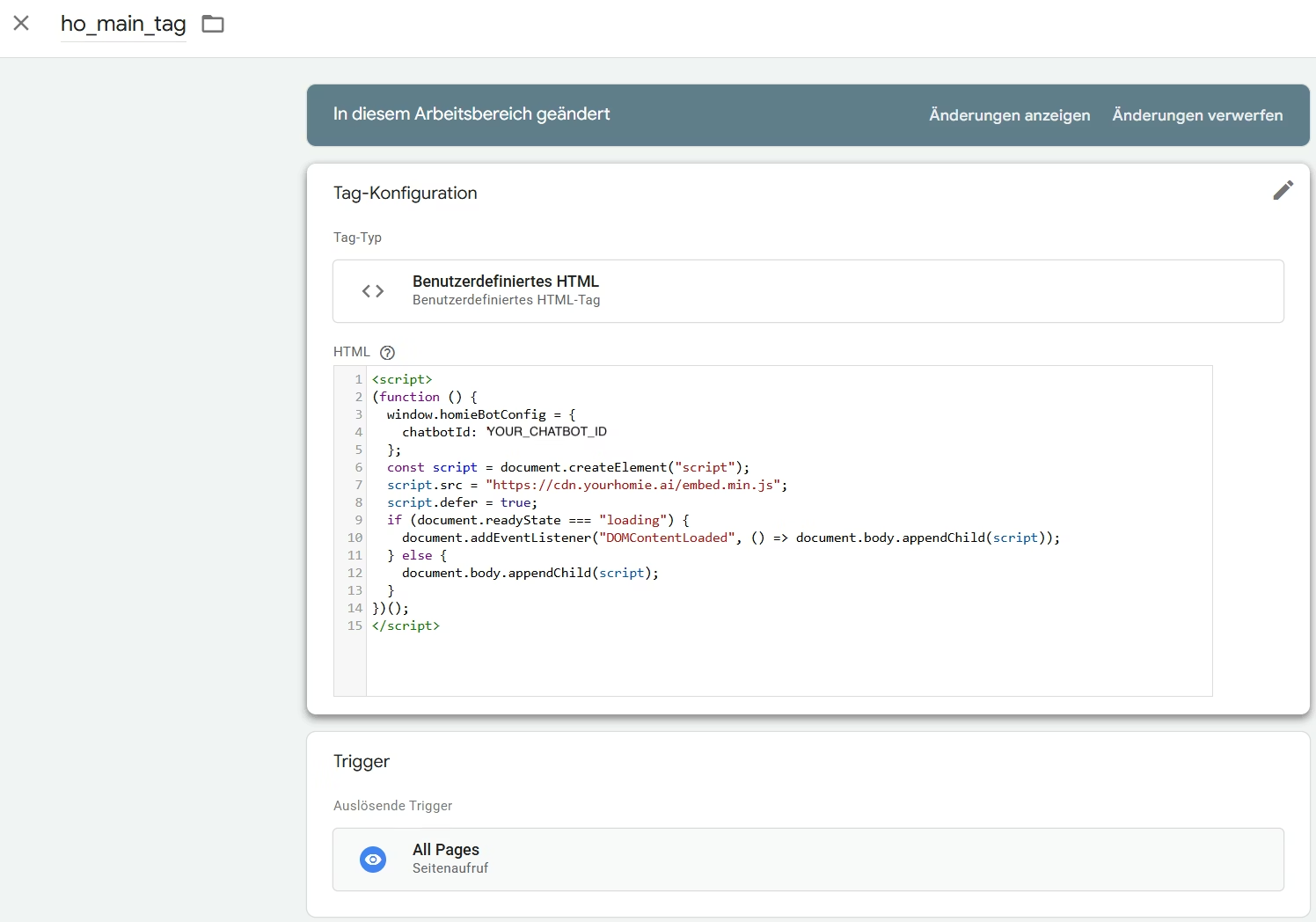
Step 2 – Create a new tag in GTM. Open the correct container at tagmanager.google.com, click "Add New Tag", and select Custom HTML as the tag type. Paste in the copied script – your chatbot ID is already included.

Step 3 – Set trigger & publish. Select "All Pages" as the trigger so that the chat bubble appears cross-page. Then click Submit → Publish. GTM immediately deploys the tag. Refresh the store – and homie AI is live. On all properties simultaneously.

A window for setting up Google Tag Manager
The trigger is set up easily

What Happens After the Integration

Both paths lead to the same result: an AI sales assistant who knows your entire product catalog, answers customer questions in real time, and actively guides visitors through the purchasing process – automated, personalised, around the clock.

  • +30% higher conversion in accompanied sessions

  • Drastically reduced support efforts through automated responses to recurring questions

  • More revenue from existing traffic – without additional ads budget

Shopify Users?

Even easier. For everyone using Shopify: homie AI is directly available in the Shopify App Store. Install the app, activate it – done. Not even touching code. Ready to get started? No matter which shop system you use.

Learn more about homie AI or start your free trial today!

FAQ

Questions fréquentes

Temps de mise en place ? Conforme au RGPD ? Voici toutes les réponses aux sujets sur lesquels on nous interroge le plus souvent.

Conseiller.
Convaincre.
Vendre.

Passez en ligne en moins de 10 minutes avec homie : recherche, conseil et support par l'IA. Démarrez votre essai gratuit de 14 jours.

Abonnez-vous et ne manquez plus rien !

Actualités, tutoriels vidéo et conseils directement dans votre boîte mail.

🎉

Encore une étape

Cliquez sur le lien contenu dans l'e-mail que nous venons de vous envoyer et recevez toutes les mises à jour directement dans votre boîte mail.