In 3 Minutes to an AI Consultant in Your Online Shop – Here's How to Import Your Product Data into homie AI
26 mars 2026

Why Product Data is So Crucial
An AI assistant is only as good as the knowledge it possesses. For homie AI to competently guide your customers through your range – answering questions about sizes, availability, prices, and product details – it must be familiar with your entire inventory.
That’s precisely why we’ve made the product data import as straightforward as possible: no manual entry, no CSV tinkering, no developers required. Just enter the feed URL – and homie AI will be up to speed.
Note: The complete guide is available in our homie Academy accessible as a video.
Encore une étape
Cliquez sur le lien contenu dans l'e-mail que nous venons de vous envoyer.
This is How the Product Data Import Works – Step by Step
Step 1 – Create the Assistant & Choose the Data Source
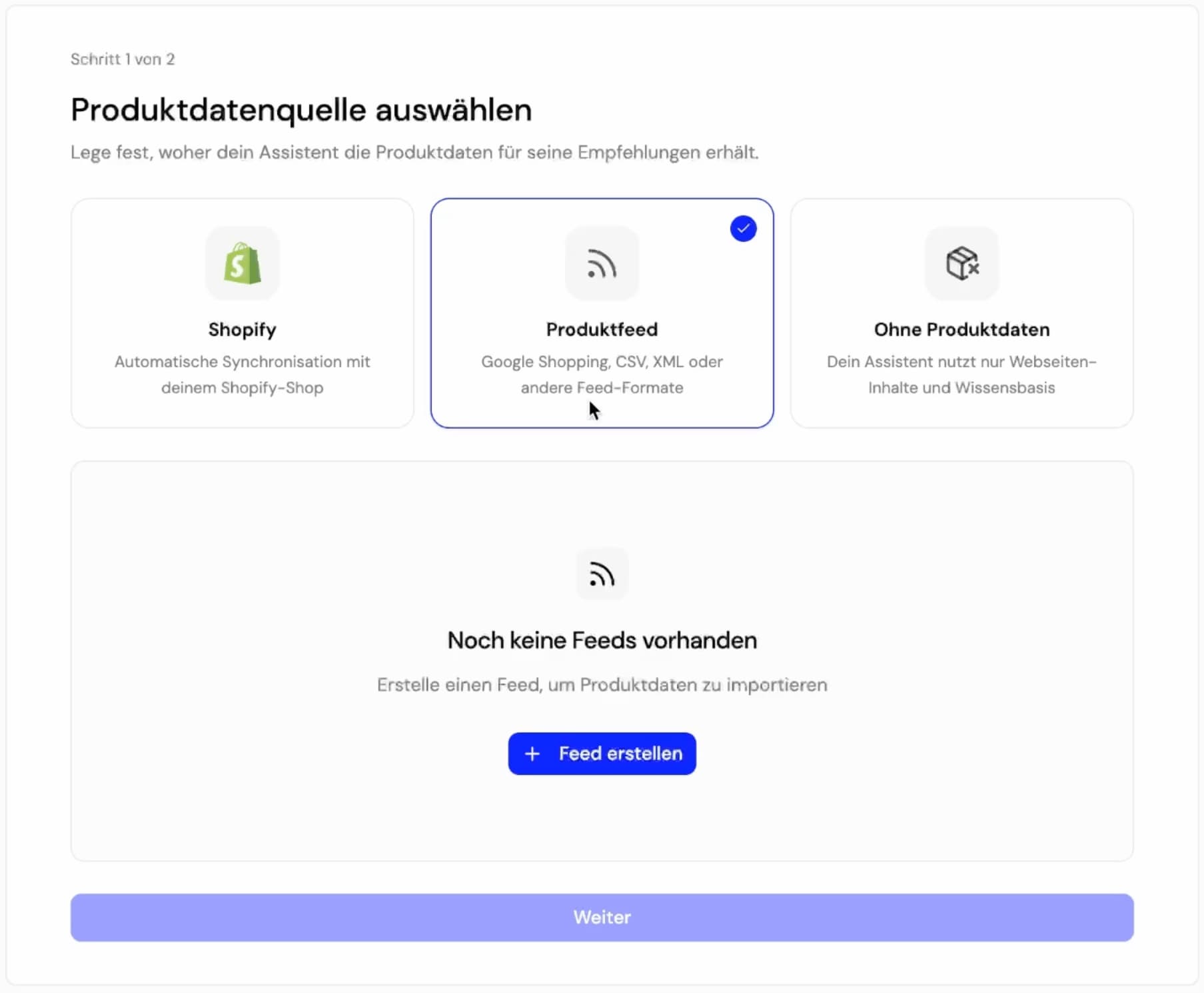
In the homie AI dashboard, click on “Create" and give your assistant a name. homie will immediately suggest three ways for you to provide product data:
Shopify App – for all Shopify stores (directly through the app store, no coding required)
Product Data Feed / Google Shopping Feed – for all other shop systems
Without Product Data – for pure content pages, blogs, or service pages
Today, we will look at the feed import – as it works with any shop system that provides an XML feed or Google Shopping Feed.
Step 2 – Insert Feed URL & Connect
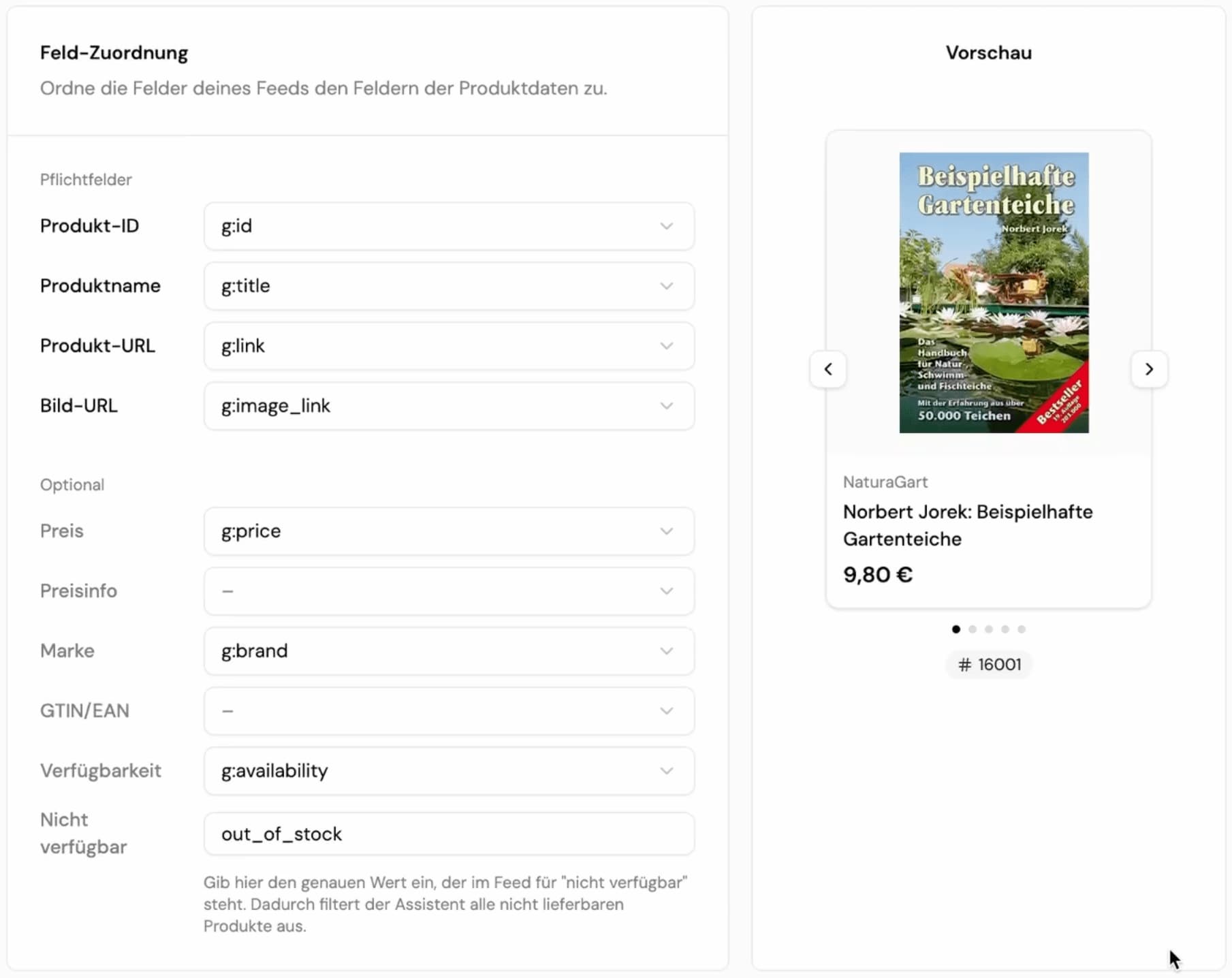
Click on “Create New Feed". Now you just need one thing: the XML URL of your Google Shopping Feed or product data feed. Just copy and paste it in, click “Connect Feed" – and homie AI will take care of the rest.
What happens in the background is quite clever: The AI automatically maps your entire feed to all relevant required fields necessary for a clean product presentation and competent advice. You can immediately check if all product tiles are fully populated and if the data has been matched correctly.
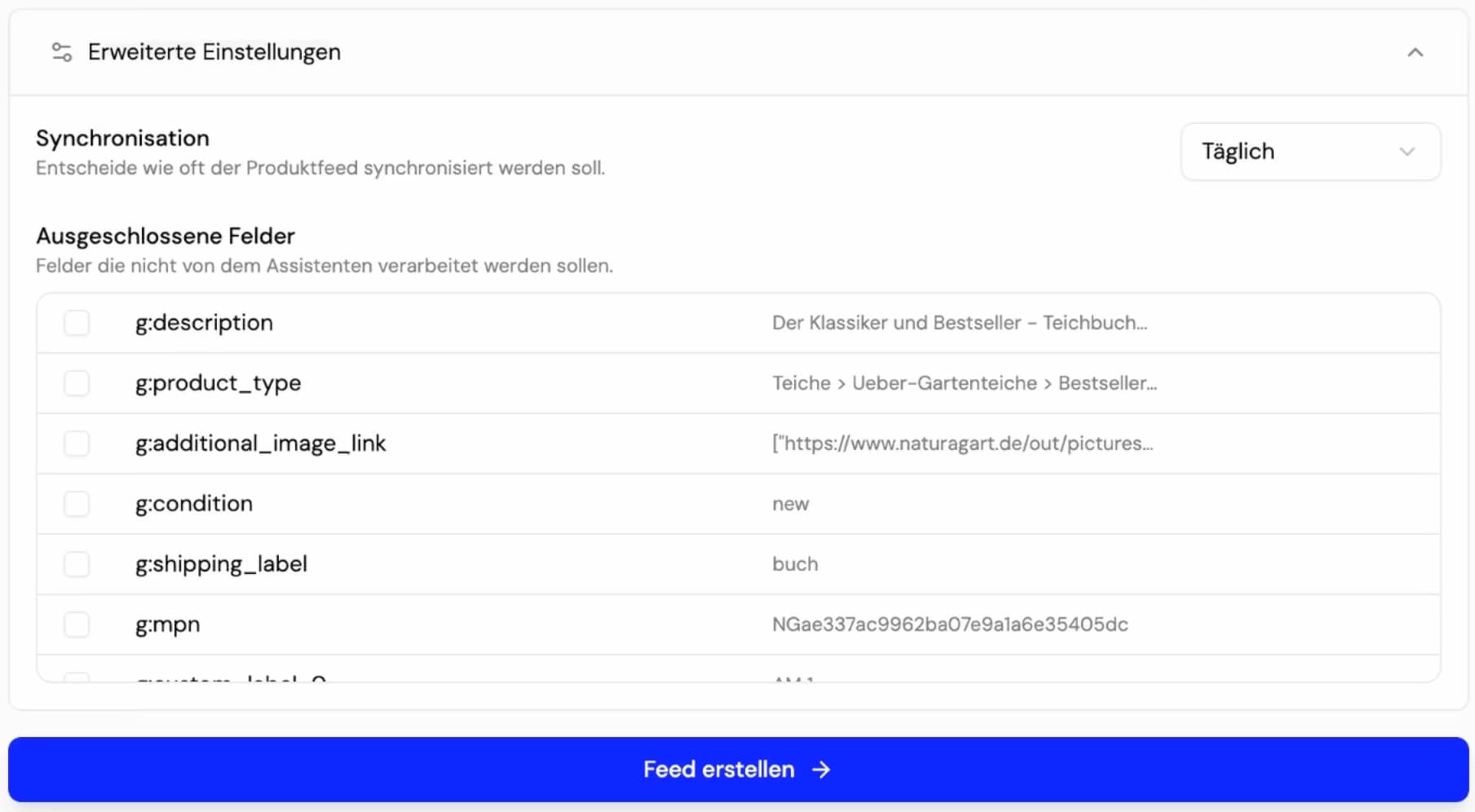
In the advanced settings, you can also set the synchronisation rhythm – daily or weekly. This way, homie AI always has a live representation of your current stock: new prices, new products, discontinued items – all automatically up to date. Fields that are irrelevant for customers or that should not be displayed can also be easily excluded here.
Step 3 – Enter Shop URL & Let the Website Be Crawled
Once the feed has been set up, the final step follows: enter the URL of your online shop. homie AI will then automatically crawl your website and read all additional content – blog articles, service pages, FAQs, and more.
Thus, your assistant not only knows your product range but also the entire content of your shop – and can answer customer questions more comprehensively.
Click on “Done” – and your AI assistant is ready to go.
What Happens Next
From now on, the homie Playground is available to you. There, you can immediately test how your assistant advises your inventory before it goes live. We’ll show you in another video from the homie Academy how to make further fine-tuning adjustments and customise the chat interface to your branding.
In Brief: What You Need to Get Started
✅ An active Google Shopping Feed or product data feed for your shop (XML URL)
✅ The domain of your online shop
✅ Approximately 3 minutes of your time
That's it. No developer. No hassle. Ready to use immediately.
Learn more about homie AI or start your free trial today!